![Alexa Logo - _WOTRNS - ATAI-1.png]](https://support.alexatranslations.com/hs-fs/hubfs/Alexa%20Logo%20-%20_WOTRNS%20-%20ATAI-1.png?height=50&name=Alexa%20Logo%20-%20_WOTRNS%20-%20ATAI-1.png)
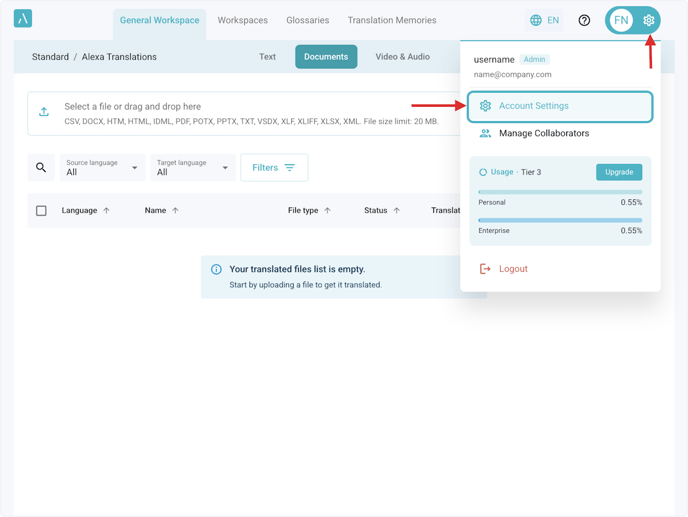
1. Click Settings > Account Settings
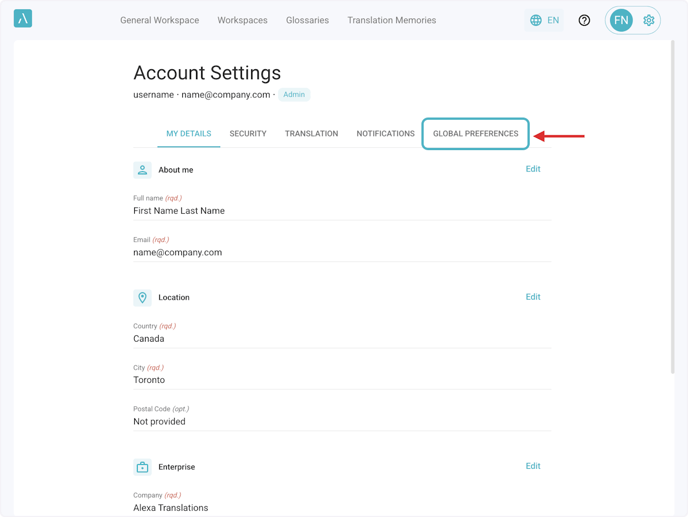
2. Click on Global Preferences.
Enable or disable features by switching the toggle next to each setting:
- Mandatory SSO login: Single Sign-On (SSO) optimizes access for the entire enterprise, enabling users to effortlessly log in with their corporate email account.
- Bin feature: This functionality enables users to move redundant translations to the bin, simplifying the process of organizing their work.
- Auto-download: Enable this to automatically download the translated files post-translation.
- Auto-delete: Automatically delete original and translated files post-translation. Activating this feature will also enable auto-download.
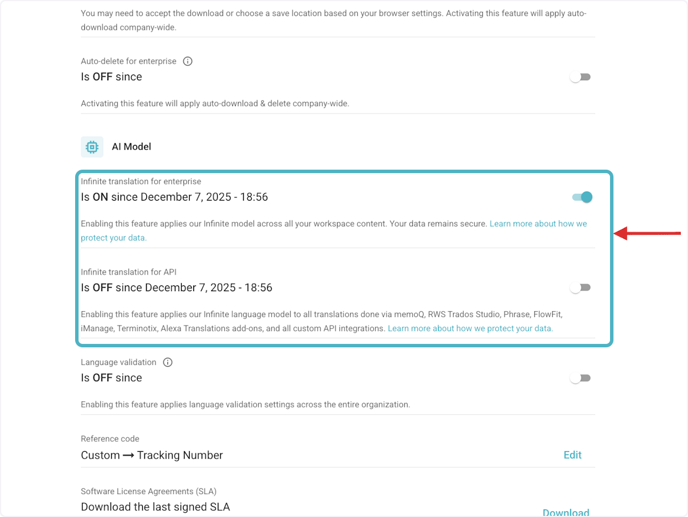
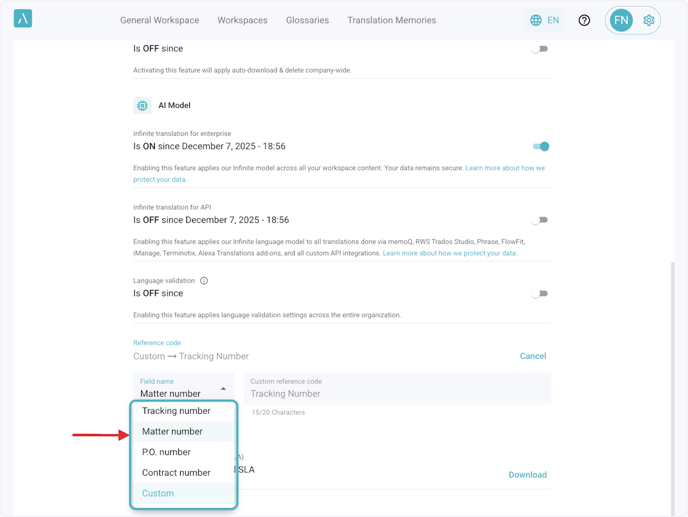
3. Select translation model under AI Model
Enable or disable Infinite translation model for enterprise and Infinite translation for API, by switching the toggle next to each setting.
You can also enable or disable the Language validation feature, which validates that the source language matches the one selected during document translation.
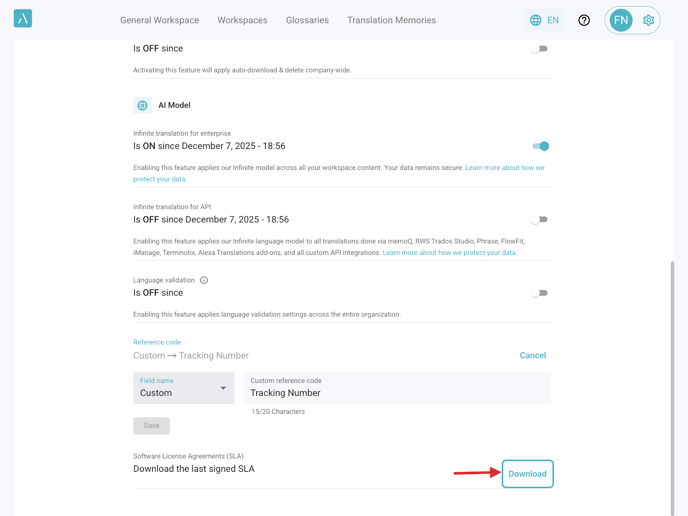
4. Click on Edit next to the Reference code to customize your workspace's Reference Code.
This can be a Tracking number, Matter number, P.O. number, Contract number or Custom reference code.
5. Click on Download to download the last signed Software License Agreements (SLA).