![Alexa Logo - _WOTRNS - ATAI-1.png]](https://support.alexatranslations.com/hs-fs/hubfs/Alexa%20Logo%20-%20_WOTRNS%20-%20ATAI-1.png?height=50&name=Alexa%20Logo%20-%20_WOTRNS%20-%20ATAI-1.png)
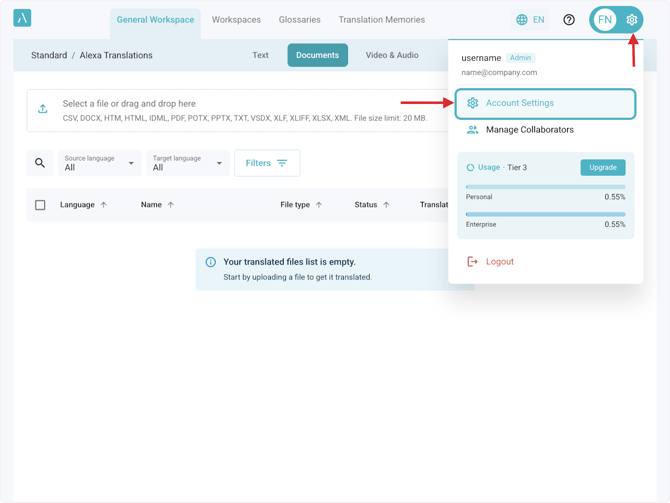
1) Click Settings > Account Settings
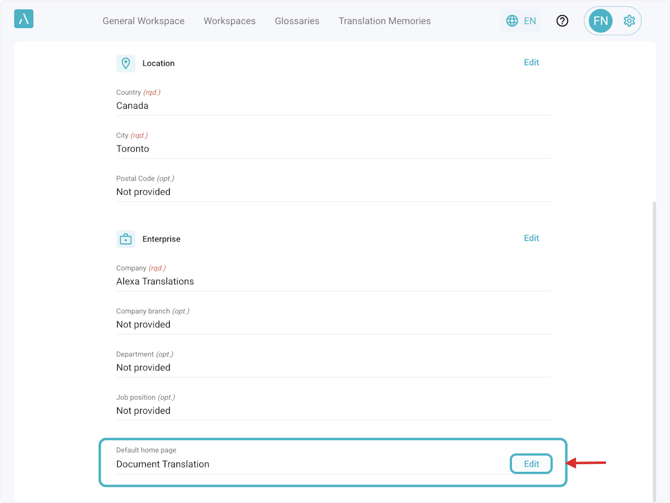
2. Scroll to the bottom of the My Details tab and click Edit at the Default Home Page field
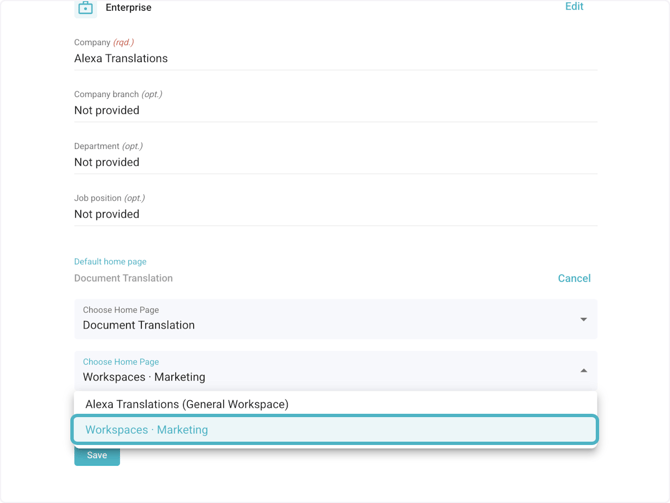
3. Select the view you want to set as default
Field 1: The main view of your home page
Field 2: If Document, Text, or Video/Audio Translation was selected, here you can select which workspace you want to view that in