![Alexa Logo - _WOTRNS - ATAI-1.png]](https://support.alexatranslations.com/hs-fs/hubfs/Alexa%20Logo%20-%20_WOTRNS%20-%20ATAI-1.png?height=50&name=Alexa%20Logo%20-%20_WOTRNS%20-%20ATAI-1.png)
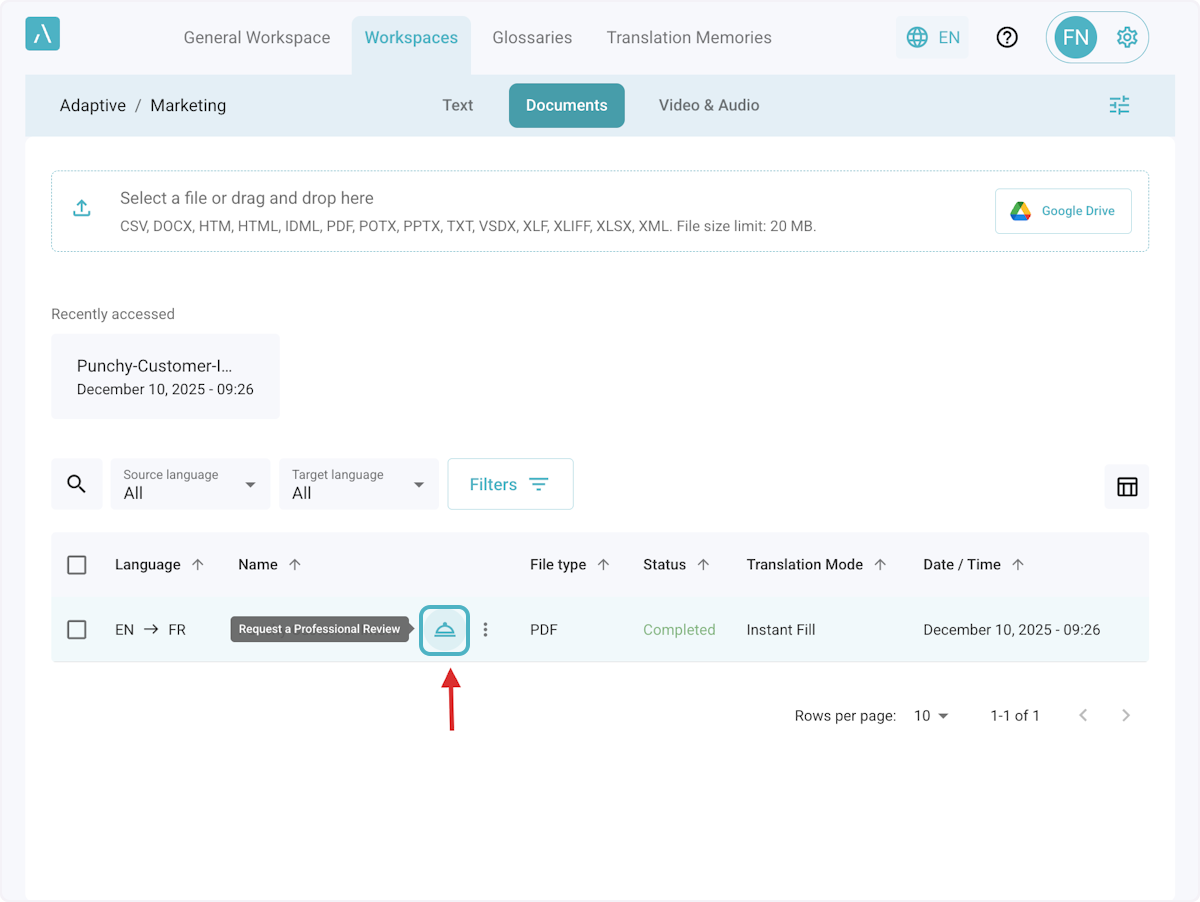
1. Click on the "Request a professional Review" icon on any completed document.
Hover over the completed file name for the bell icon to appear on the right.
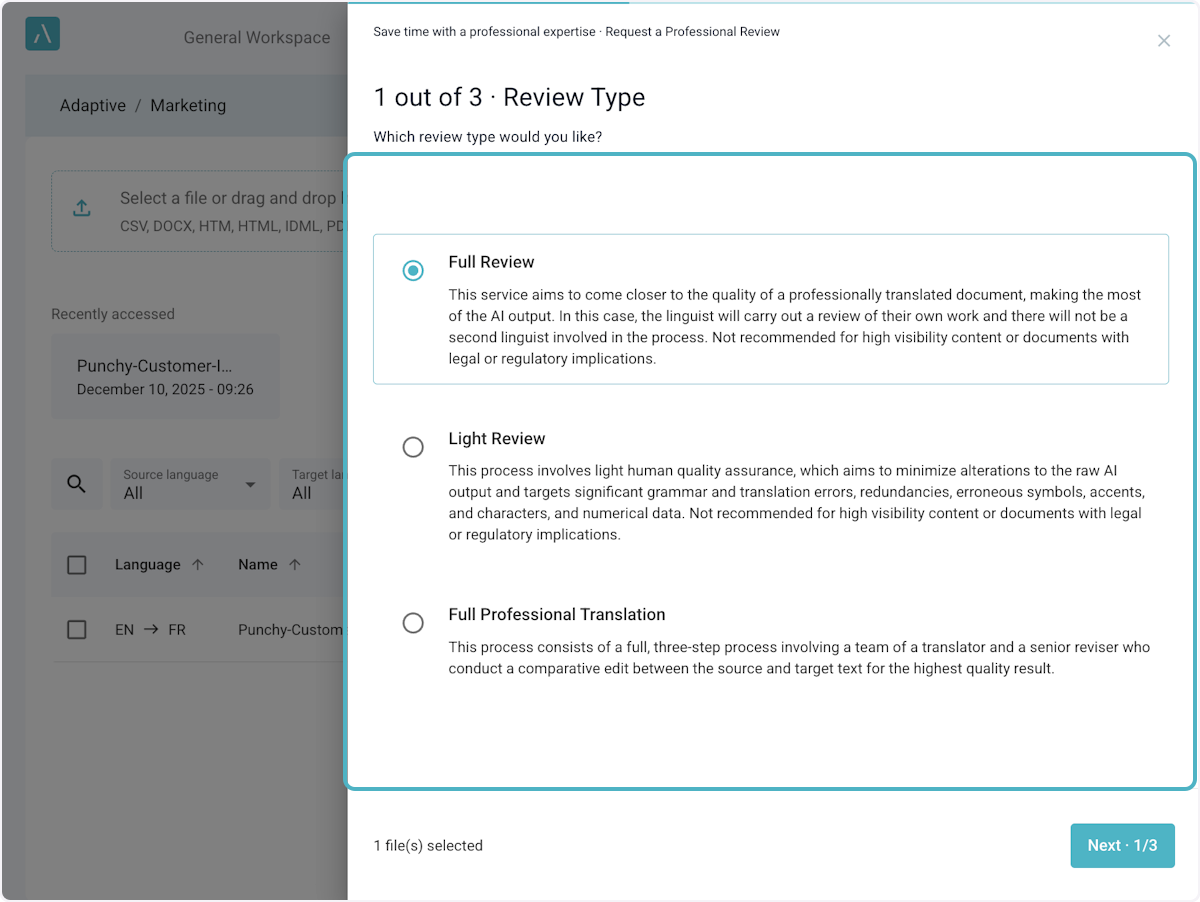
2. Select the review type desired
Options are Full Review, Light Review, and Full Professional Translation.
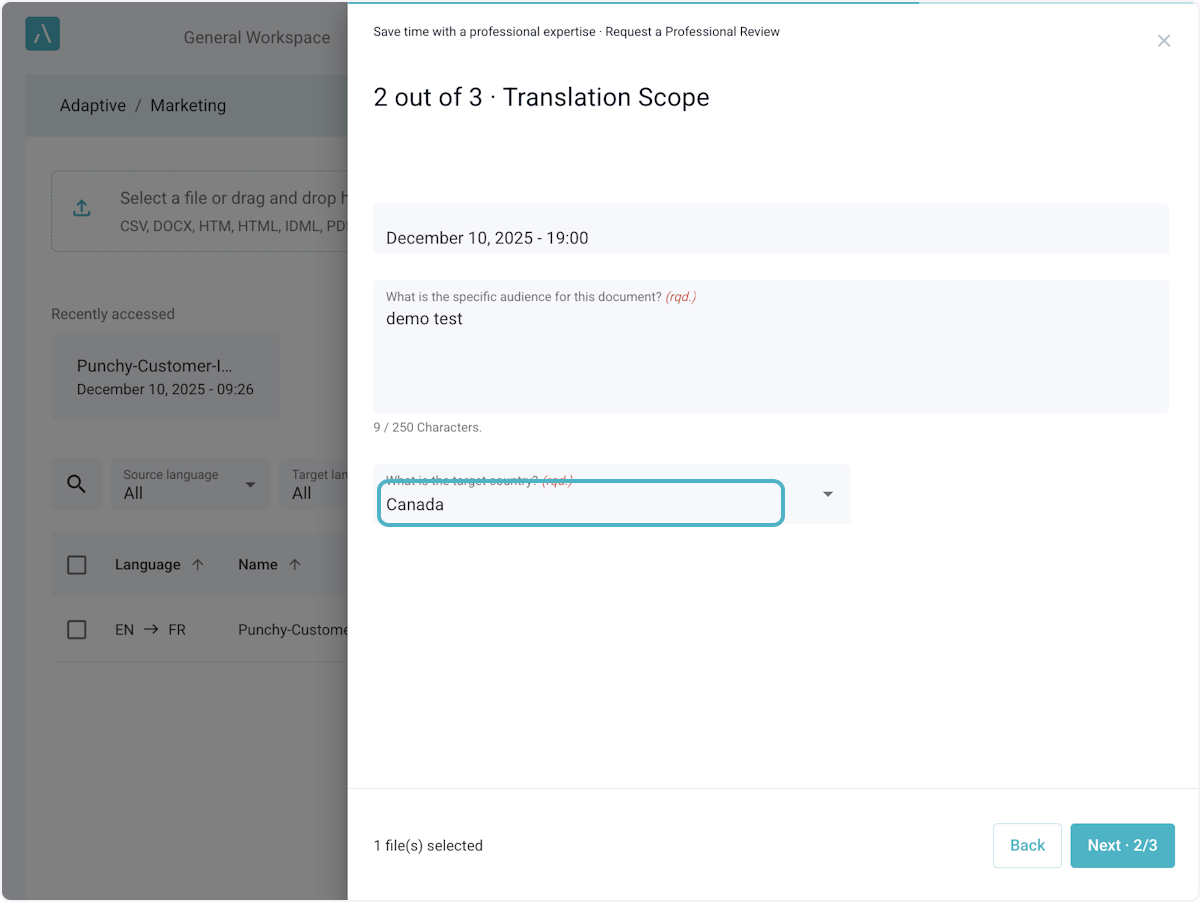
3. Specify Review Requirements
Enter the desired deadline for the review, the target audience, and region.
4. Provide further instructions as needed.
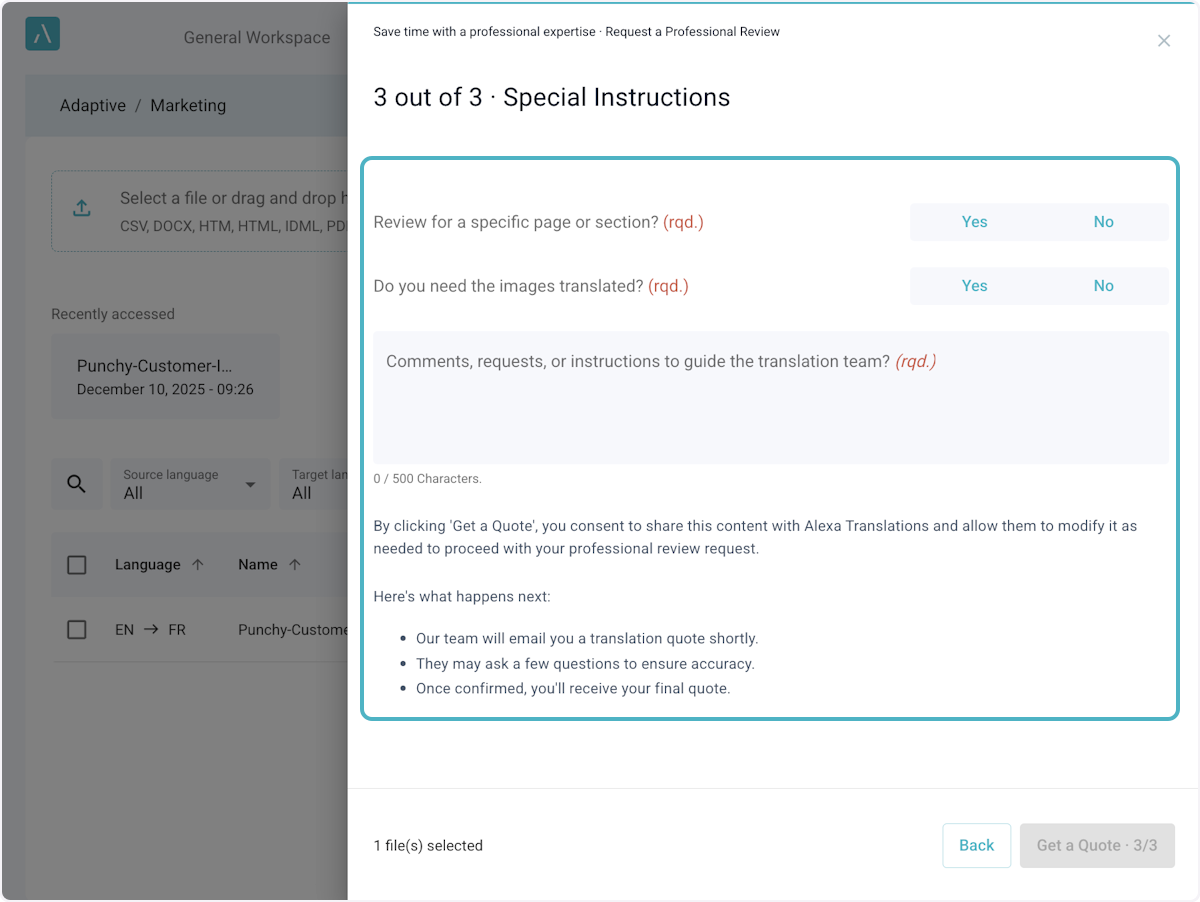
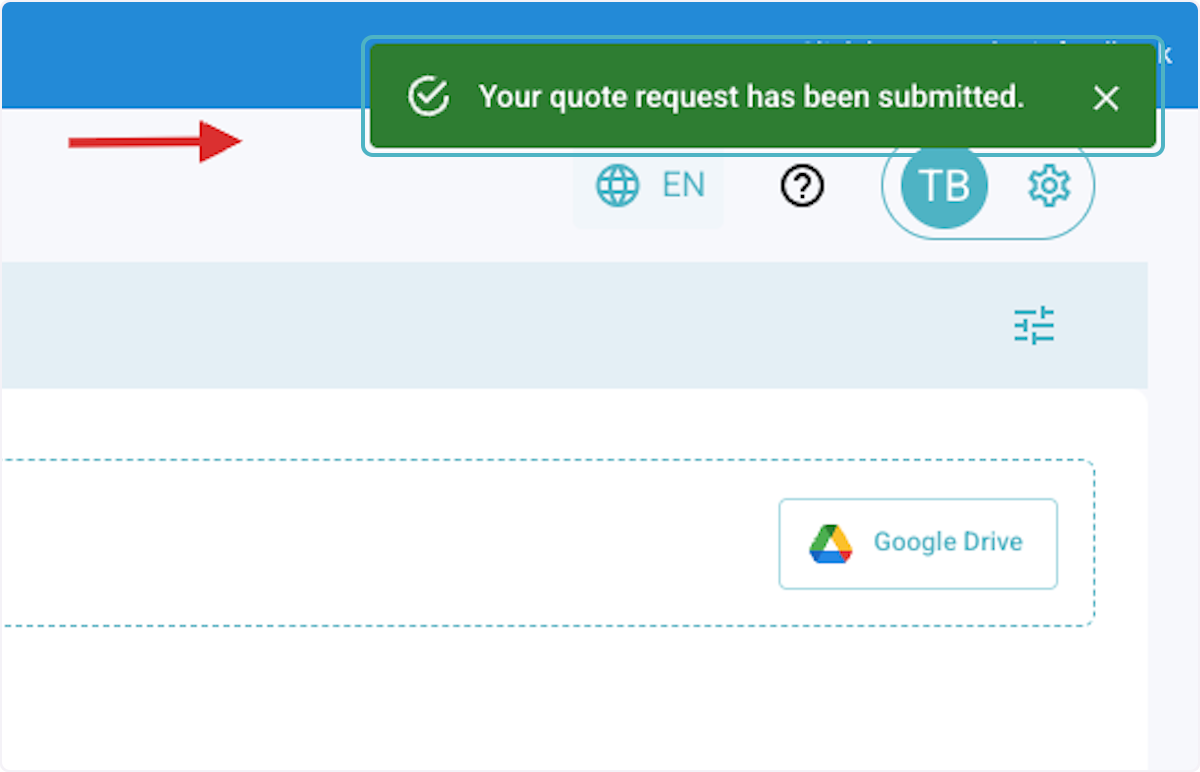
5. Request submission
After submission, our team will prepare a quote based on your request. You will receive it via email for your review and approval.