![Alexa Logo - _WOTRNS - ATAI-1.png]](https://support.alexatranslations.com/hs-fs/hubfs/Alexa%20Logo%20-%20_WOTRNS%20-%20ATAI-1.png?height=50&name=Alexa%20Logo%20-%20_WOTRNS%20-%20ATAI-1.png)
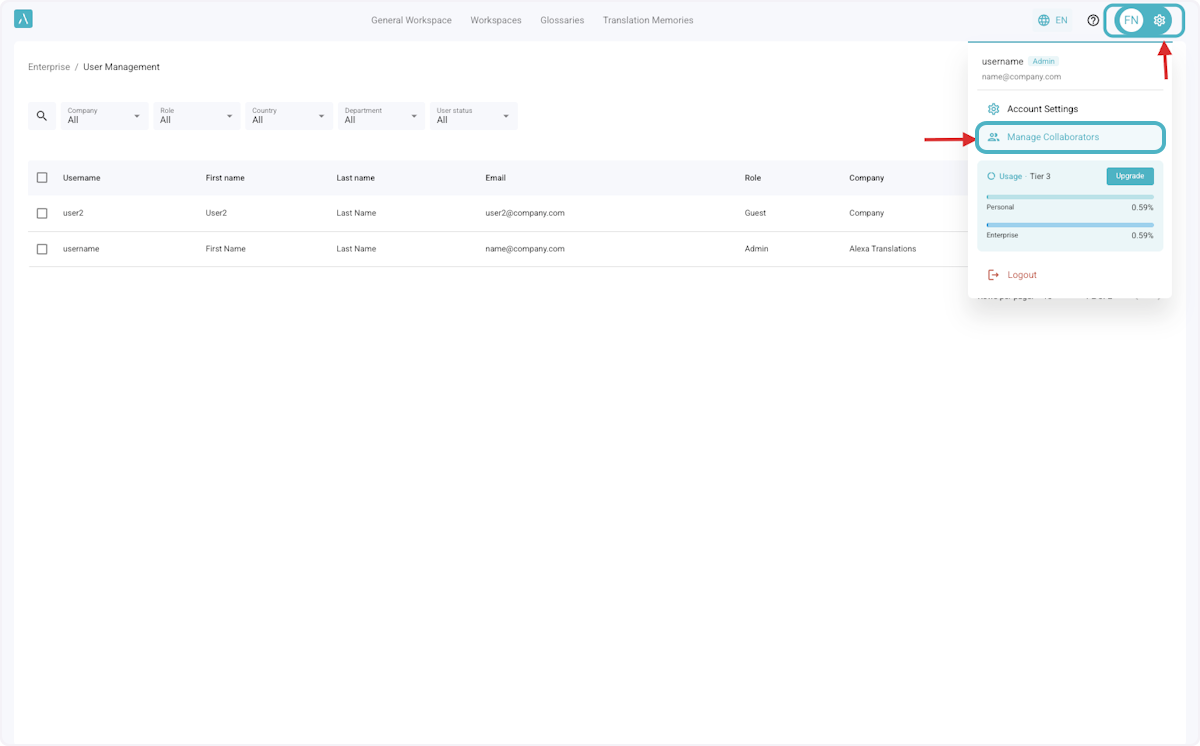
1. Click on Settings > Manage Collaborators
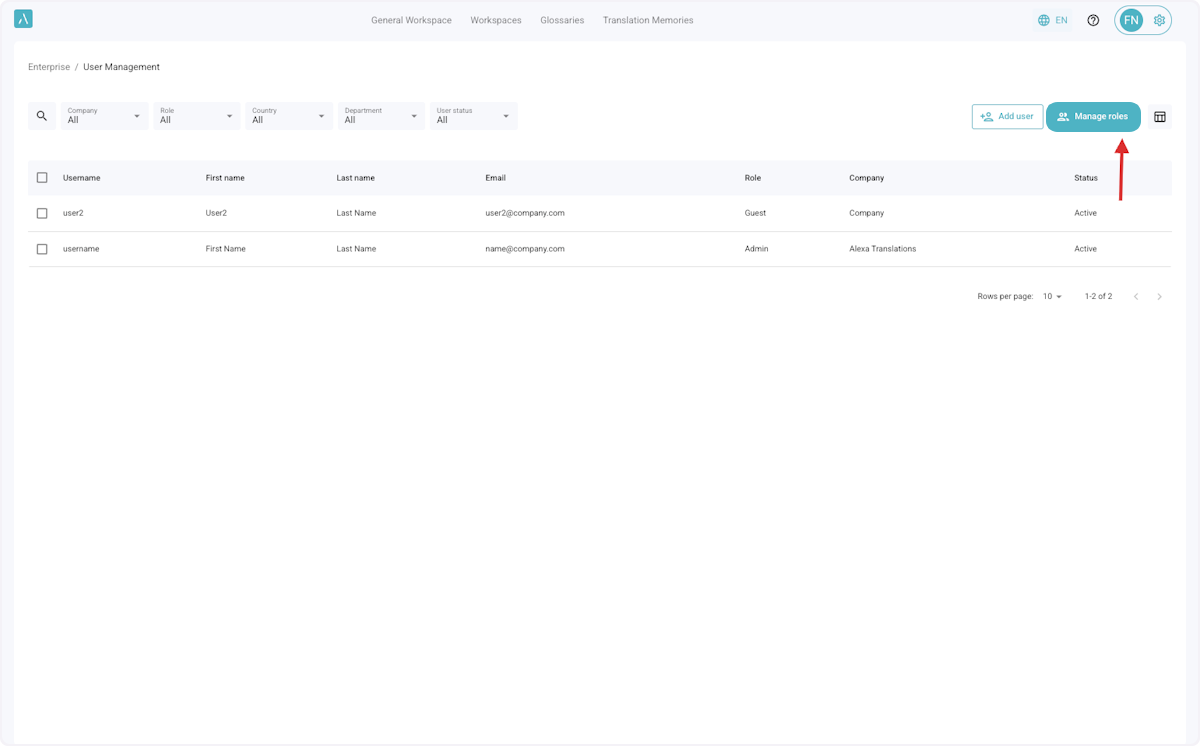
2. Click on Manage roles.
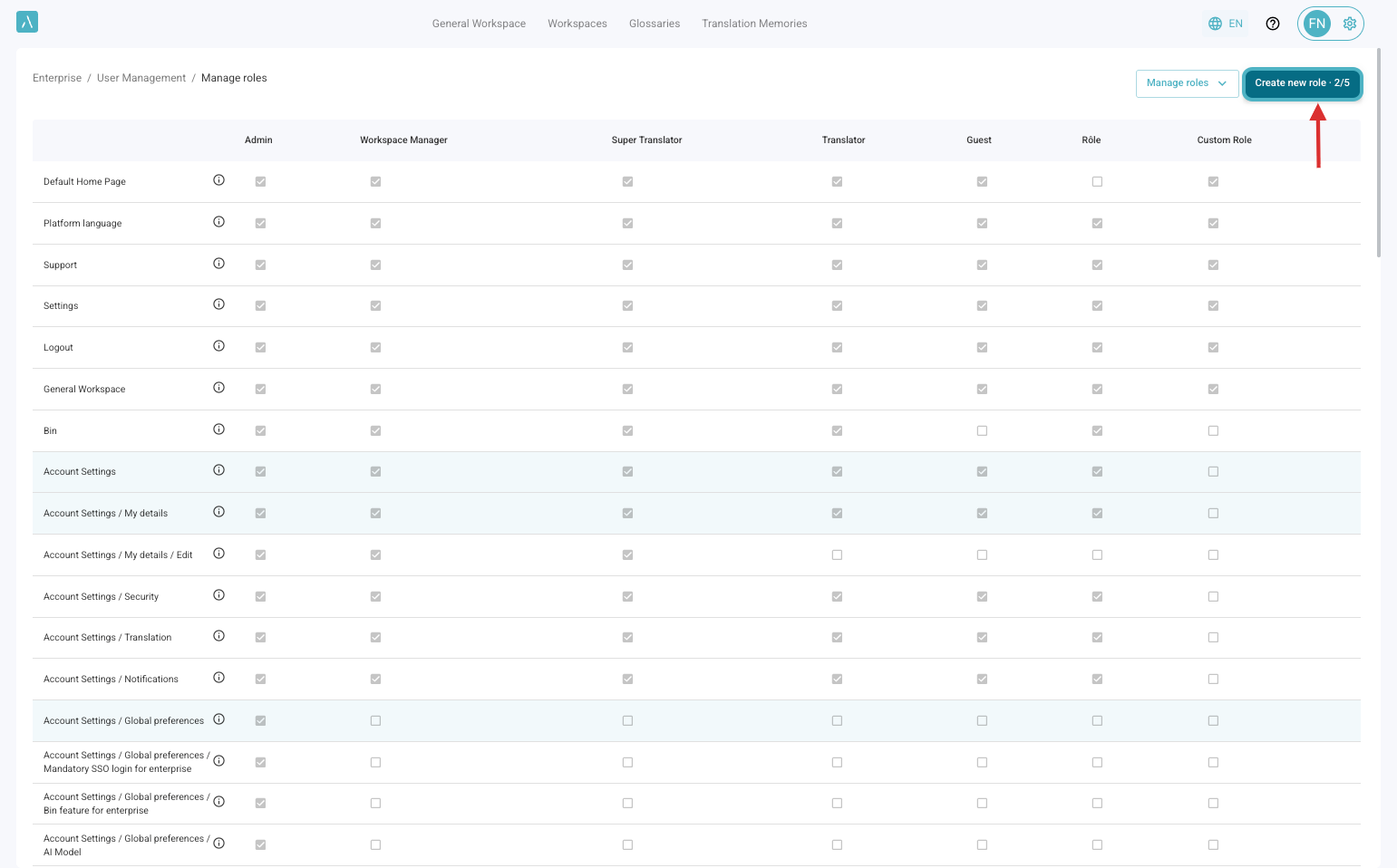
3. The list of existing roles and permissions will be displayed. Click on Create new role to add a new custom role.
Note that the button also shows how many custom roles have been created out of the maximum allowed for your enterprise.
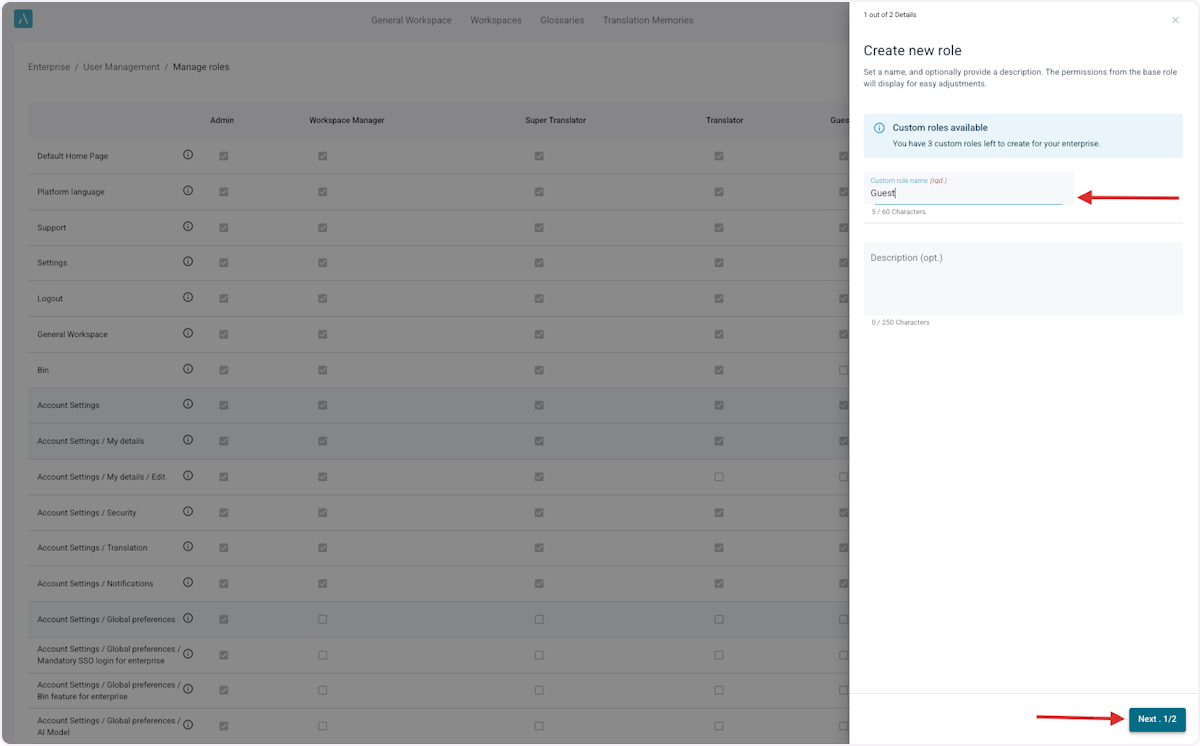
4. Provide a role name that clearly reflects its purpose.
5. Configure the new role
Use the dropdown to select a base role from the predefined list. Its permissions will be applied automatically. You can then add or remove permissions to configure the new role as needed.
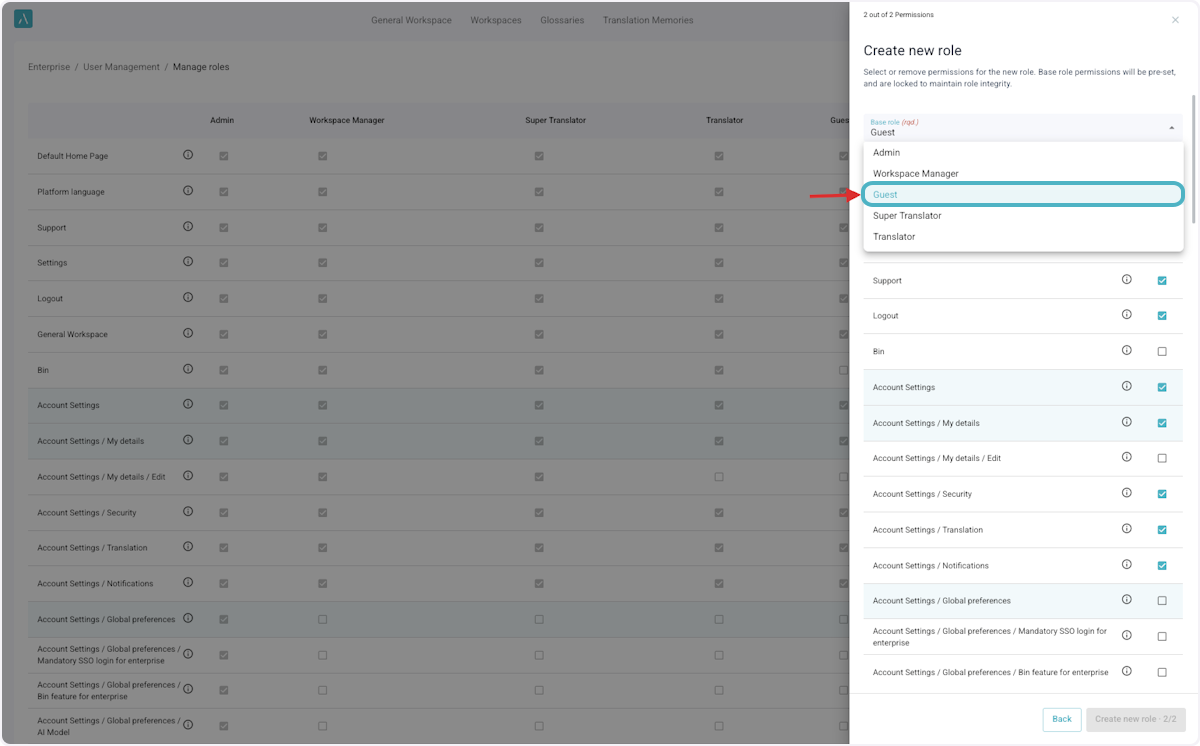
6. Review the permissions for the new role.
Permissions are grouped by functionality for easier selection. Click the “i” icon next to each permission to view its description in a tooltip.
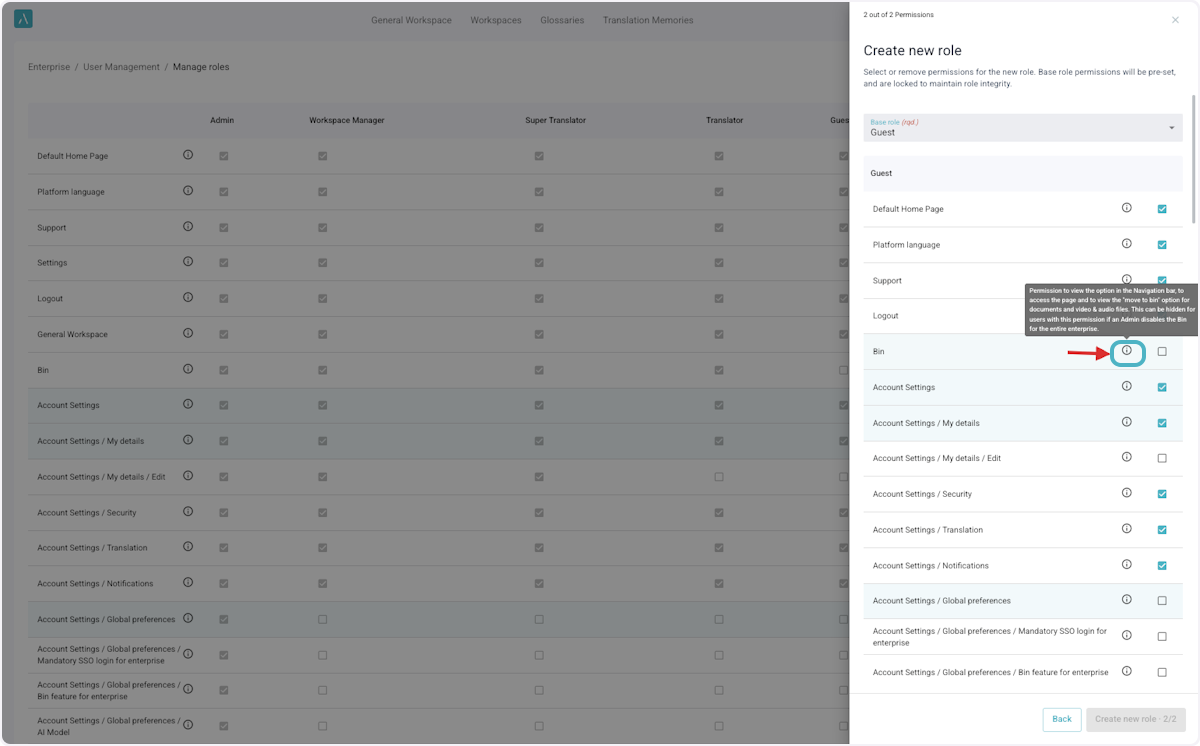
7. Check or uncheck the box next to each permission to grant or restrict access.
8. Once created, the new role will appear alongside the predefined roles in the table.
9. If any adjustments need to be made to the role name or permissions in the future, click on Manage Roles > The Role You Wish To Edit
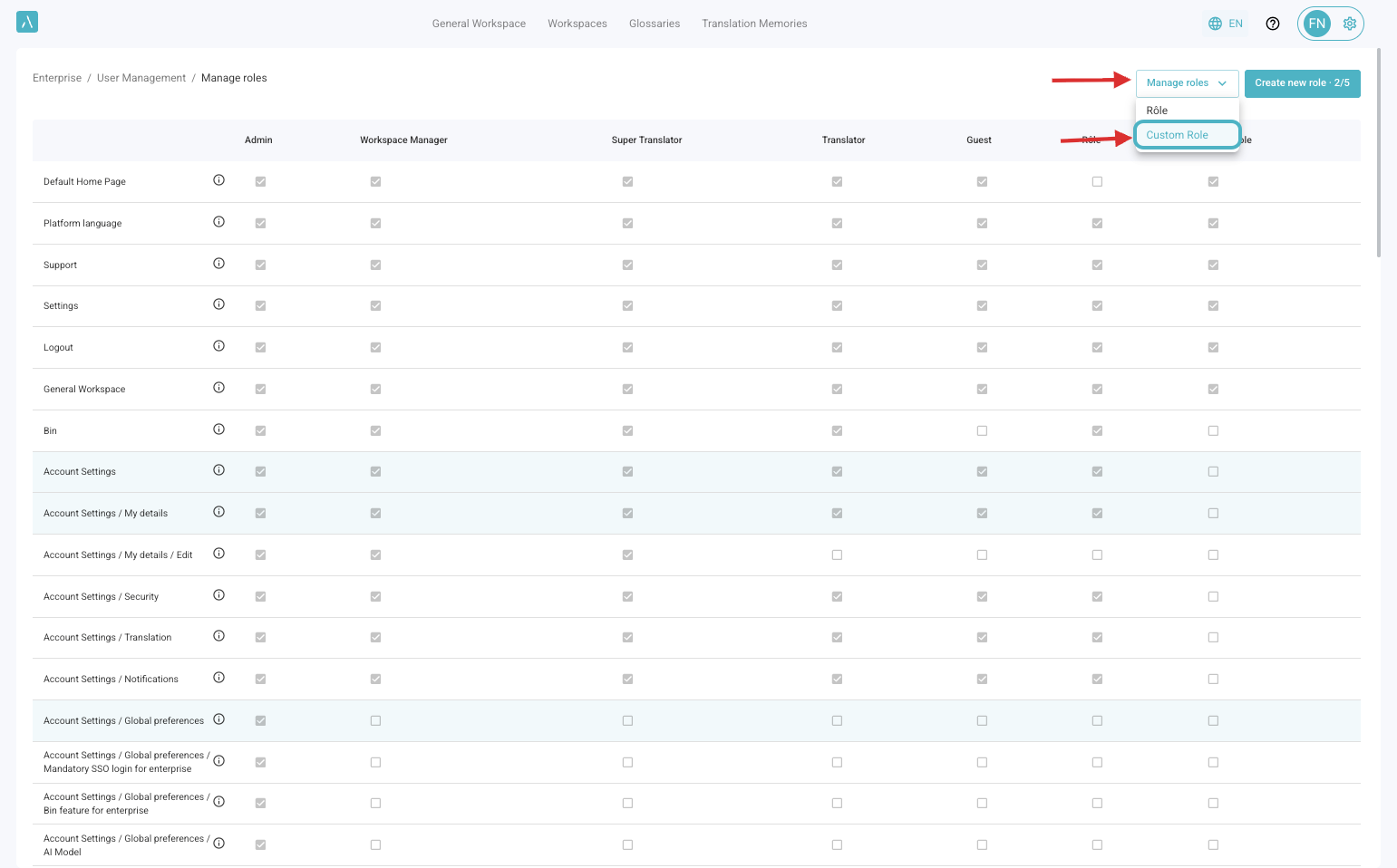
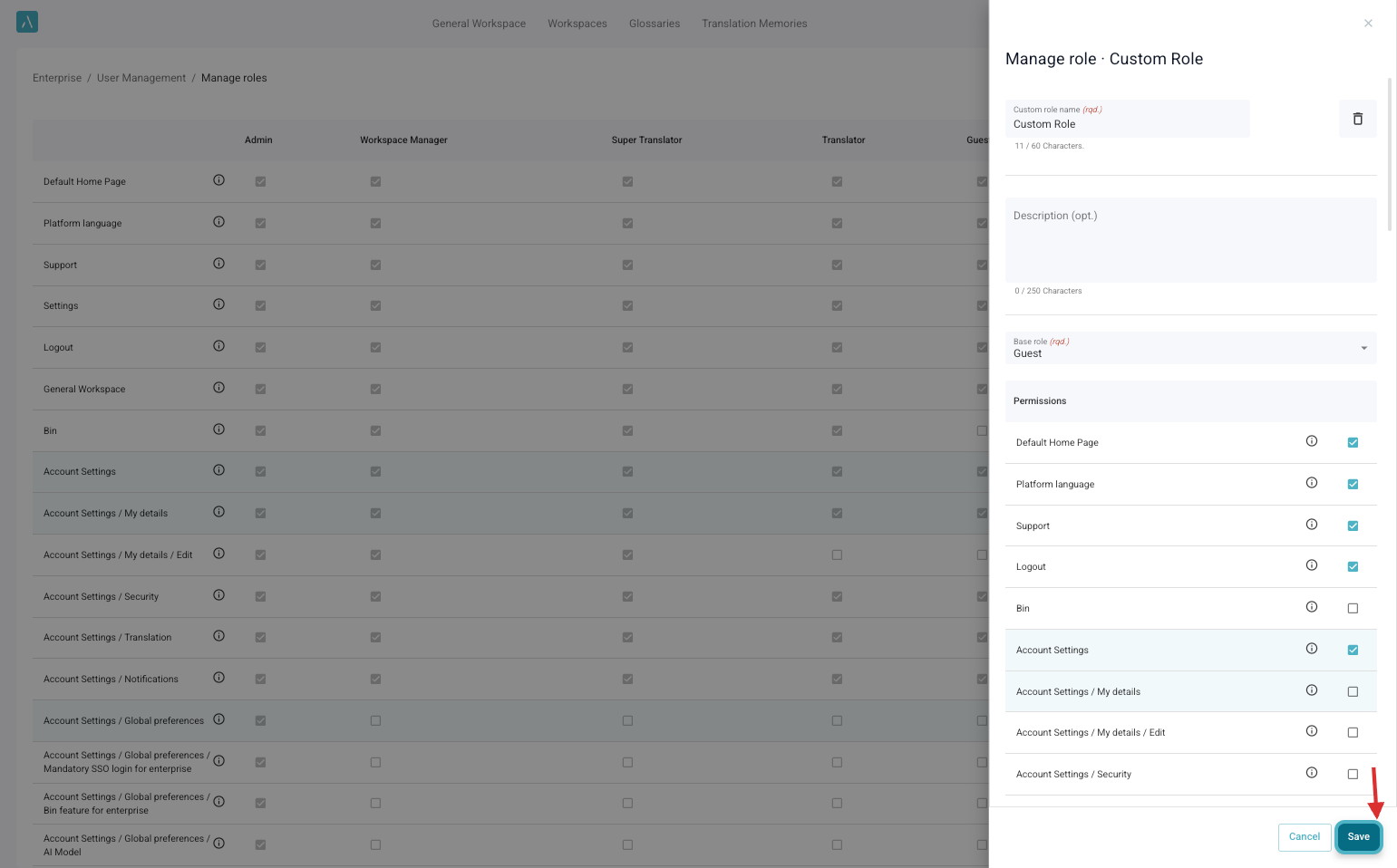
10. Make the necessary adjustments to the role and click Save
ℹ️ The default maximum number of Custom Roles for an enterprise is 5. If you need additional custom roles, please contact ai_support@alexatranslations.com for assistance.