![Alexa Logo - _WOTRNS - ATAI-1.png]](https://support.alexatranslations.com/hs-fs/hubfs/Alexa%20Logo%20-%20_WOTRNS%20-%20ATAI-1.png?height=50&name=Alexa%20Logo%20-%20_WOTRNS%20-%20ATAI-1.png)
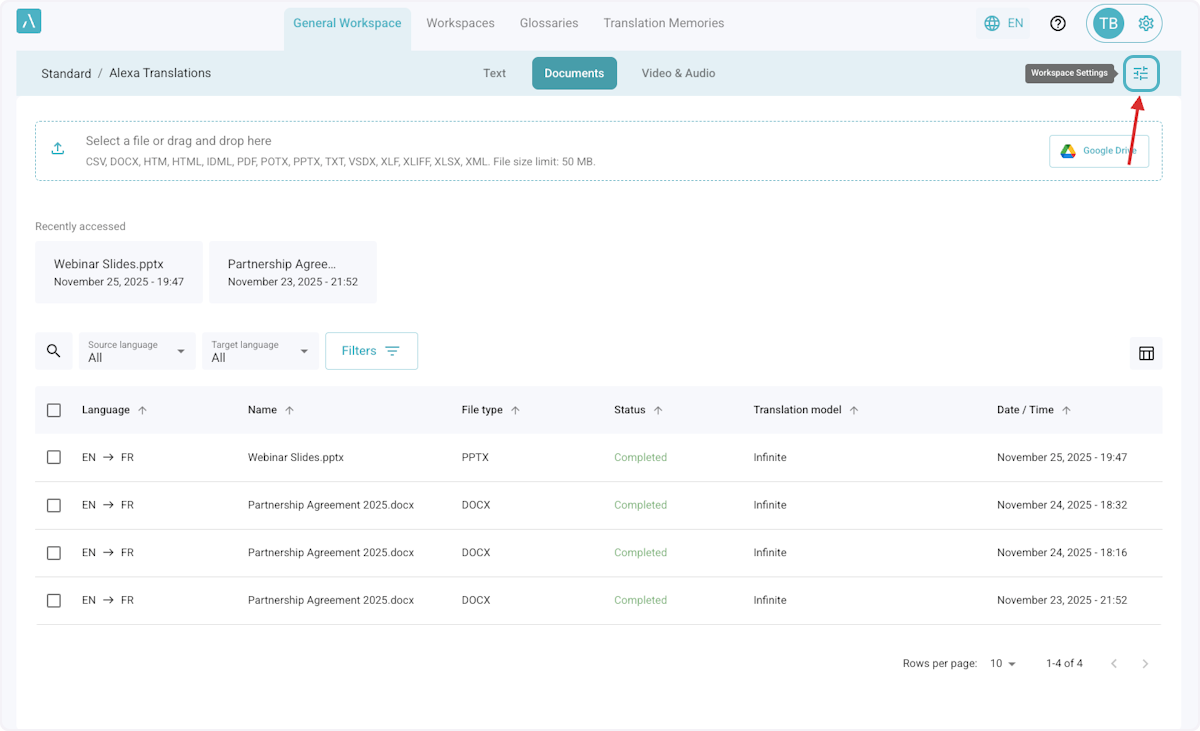
1. The General Workspace has settings that apply exclusively to this workspace.
To configure or view the settings, go to Workspace Settings
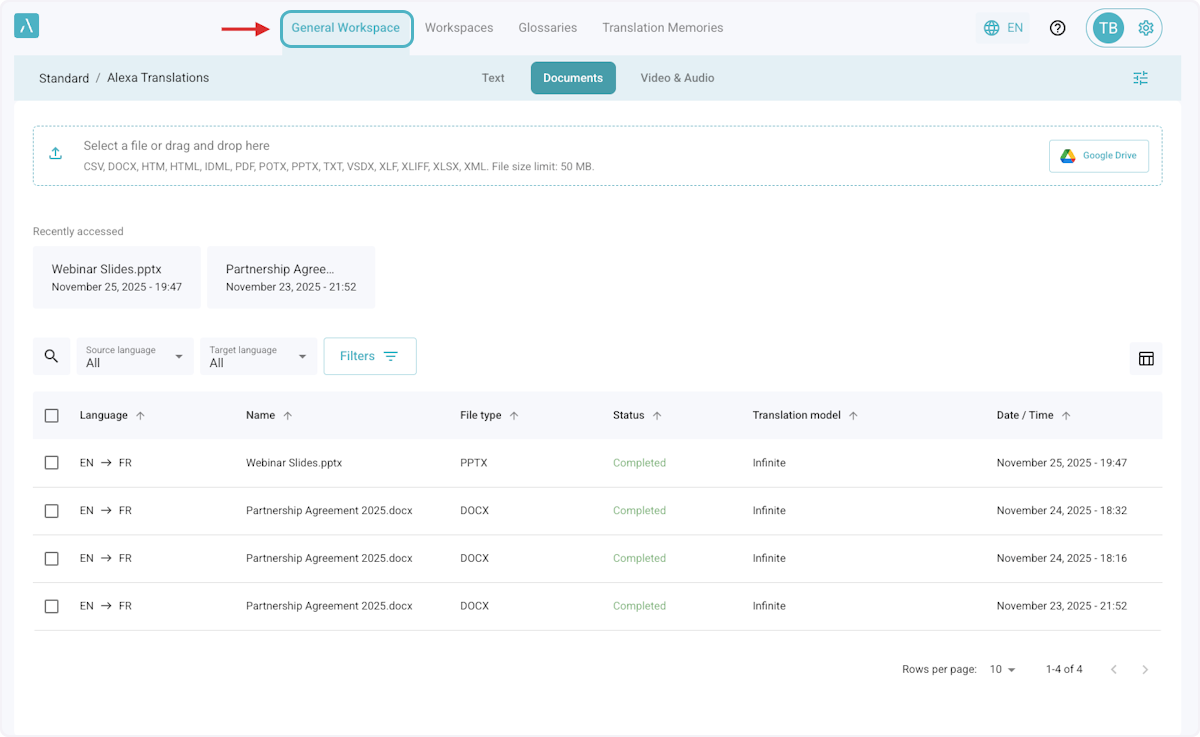
2. The General Workspace is the default workspace where all users can start translating right away.
It is automatically created, and it cannot be deleted by any user.
The General Workspace is the easiest and fastest way to translate text, documents, and audio/video files.
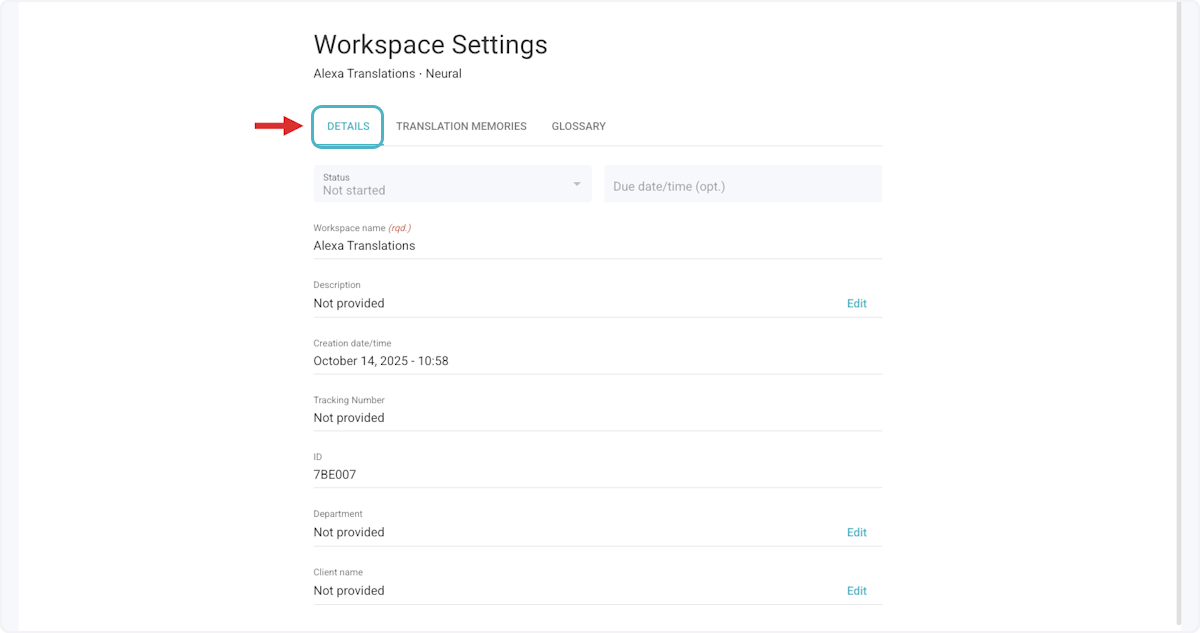
3. DETAILS
Shows key information about the workspace.
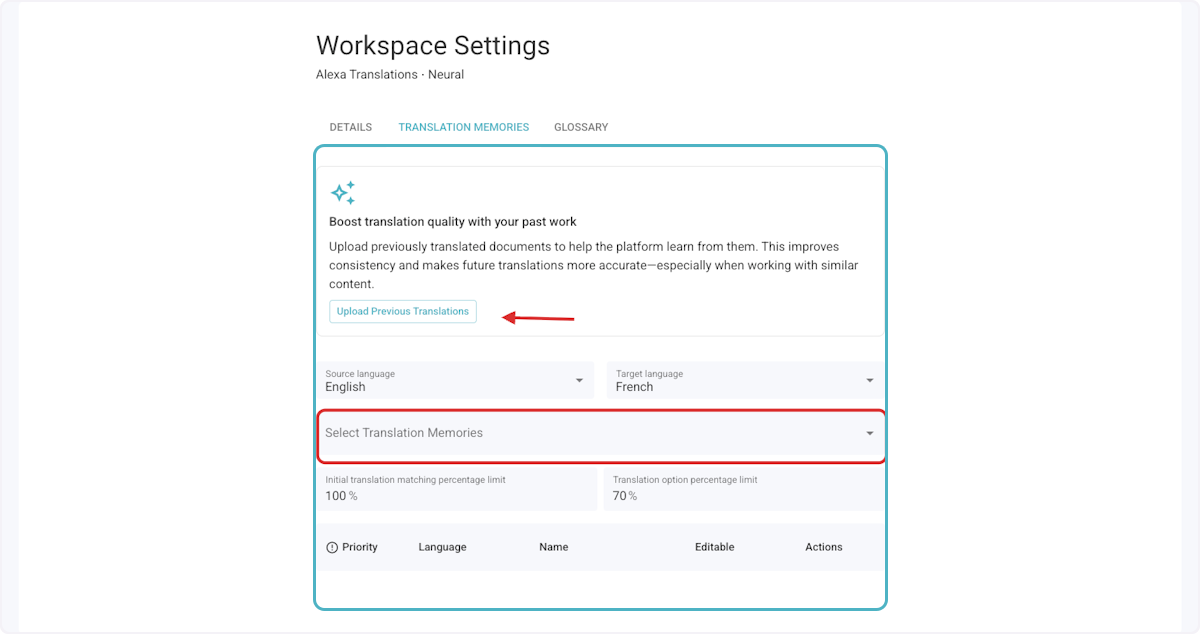
4. TRANSLATION MEMORIES
Here you can upload past translations or select existing Translation Memories to use in the General Workspace, and prioritize them as needed.
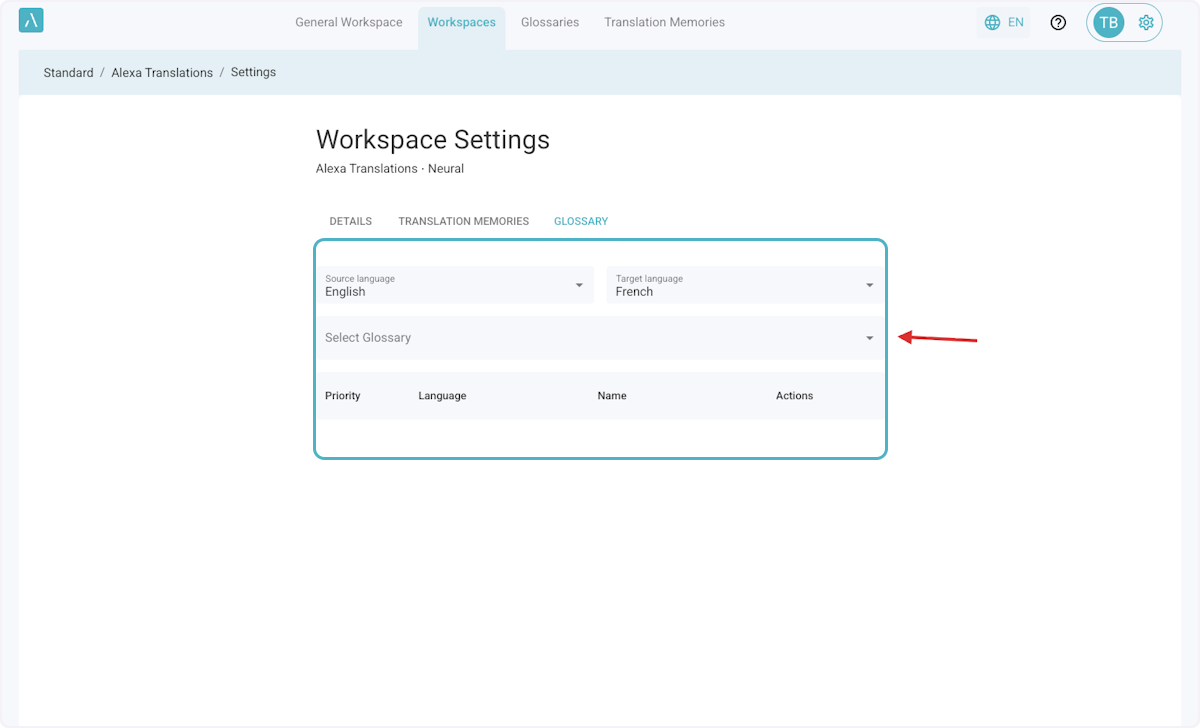
5. GLOSSARY
Here you can upload glossary files or select existing glossaries to use in the General Workspace, and prioritize them as needed.