![Alexa Logo - _WOTRNS - ATAI-1.png]](https://support.alexatranslations.com/hs-fs/hubfs/Alexa%20Logo%20-%20_WOTRNS%20-%20ATAI-1.png?height=50&name=Alexa%20Logo%20-%20_WOTRNS%20-%20ATAI-1.png)
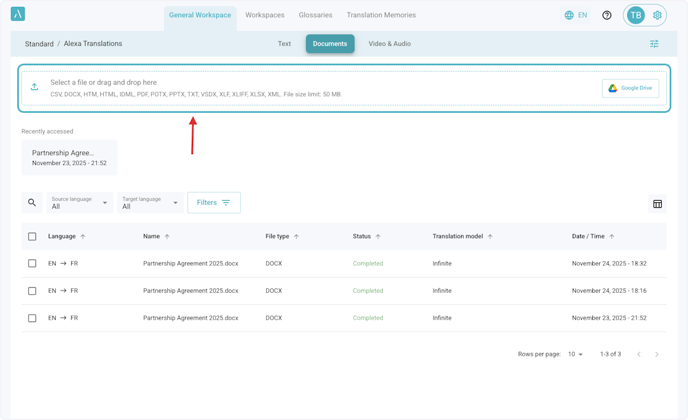
1. Select your preferred Workspace, then click on Documents

2. Select or drag and drop the file from your device.
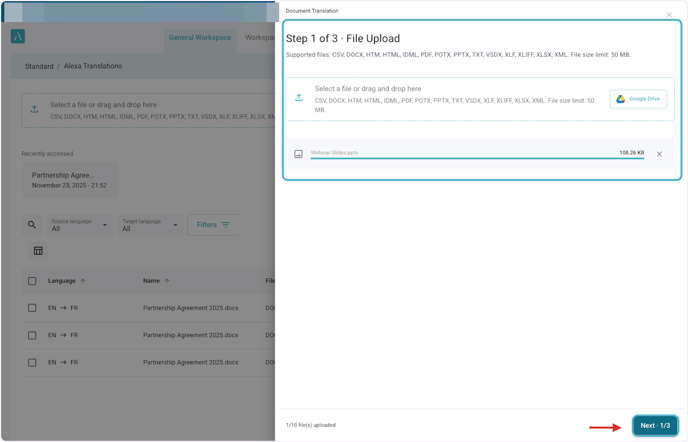
3. Once your Document has been uploaded, click on Next.
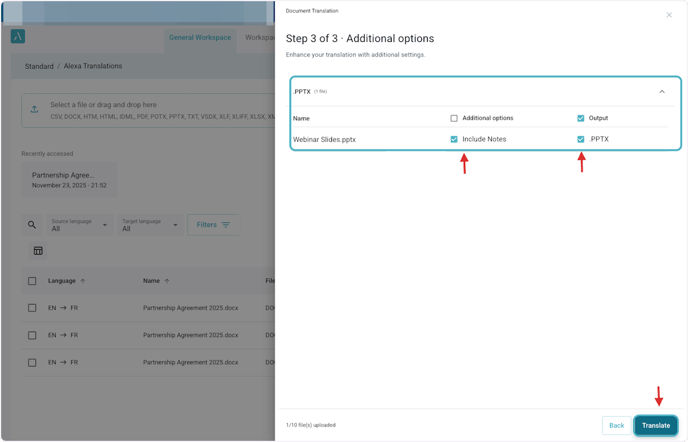
4. Select the language direction and click on Next

5. Click on Translate
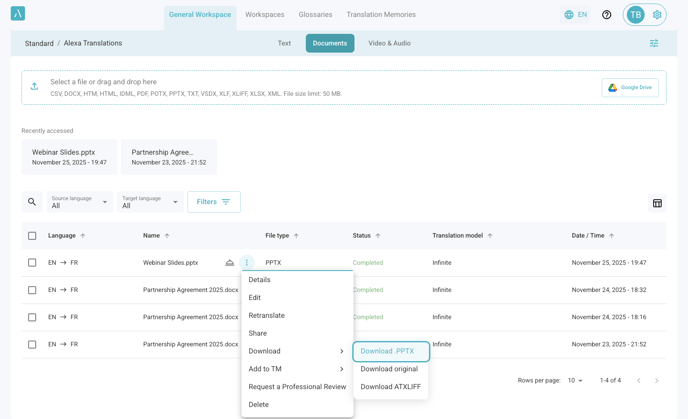
6. Once the document is completed, hover over the document to display the action menu and Request Professional Review options.
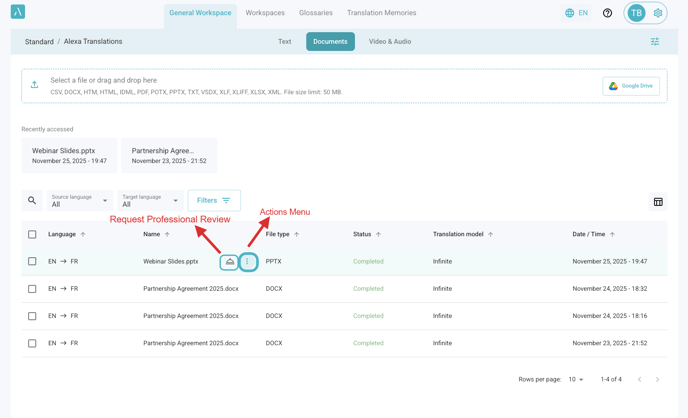
7. The Actions Menu includes the following options
○Edit
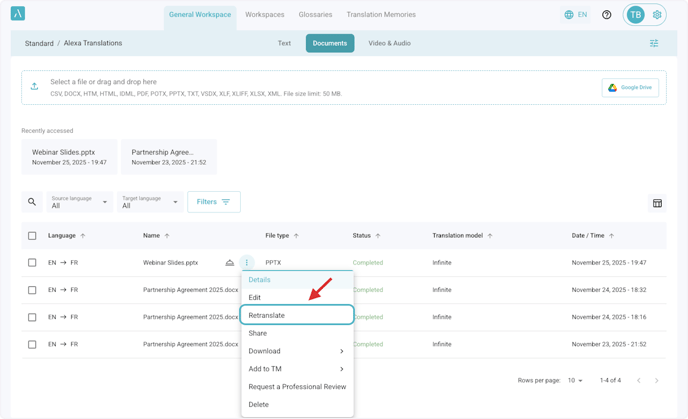
○Retranslate
○Share
○Download
○Request a Professional Review
○Delete
8. The Retranslate option allows you to translate the same source document again using different settings, such as a new target language or additional options.
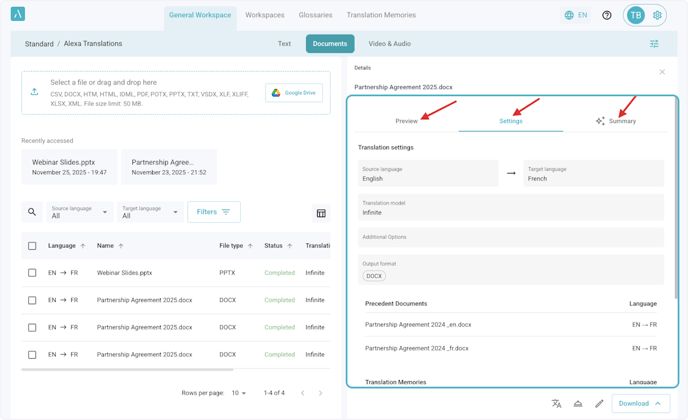
9. The Details section displays the settings applied to the document, a preview for supported file types, and an AI-generated summary of the document content.
○Deleted
○Saved to TM or Create TM
○Request a Professional Review
○Shared
○Downloaded at the same time
