![Alexa Logo - _WOTRNS - ATAI-1.png]](https://support.alexatranslations.com/hs-fs/hubfs/Alexa%20Logo%20-%20_WOTRNS%20-%20ATAI-1.png?height=50&name=Alexa%20Logo%20-%20_WOTRNS%20-%20ATAI-1.png)
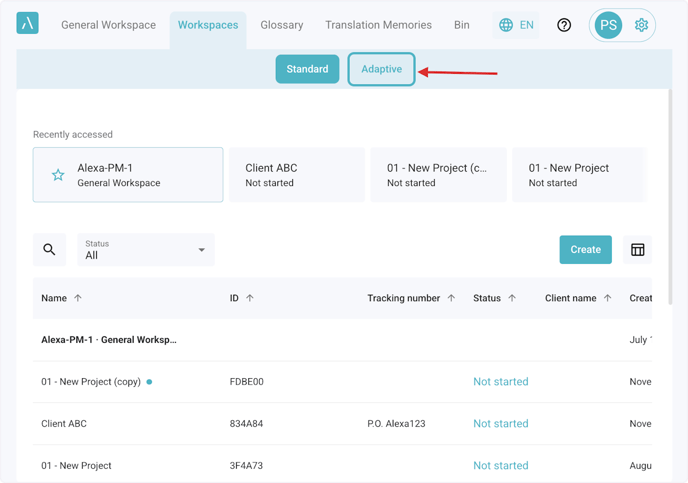
1. Go to Workspaces and select Adaptive.
2. Click on Create

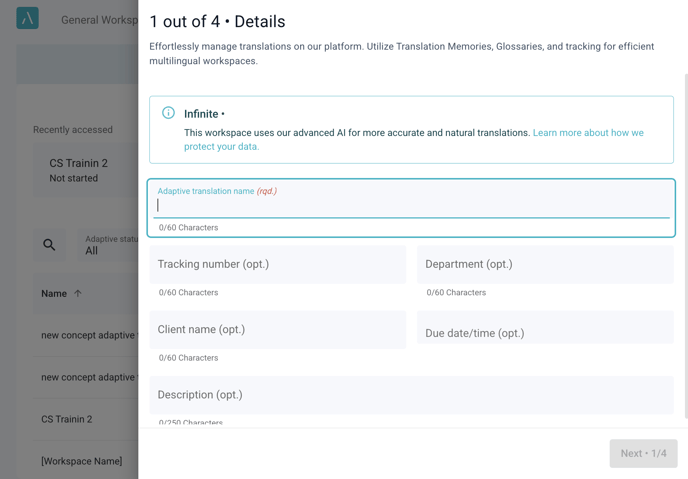
3. Complete the 4 steps to create a new Adaptive workspace.
4. Open the workspace to work within it.
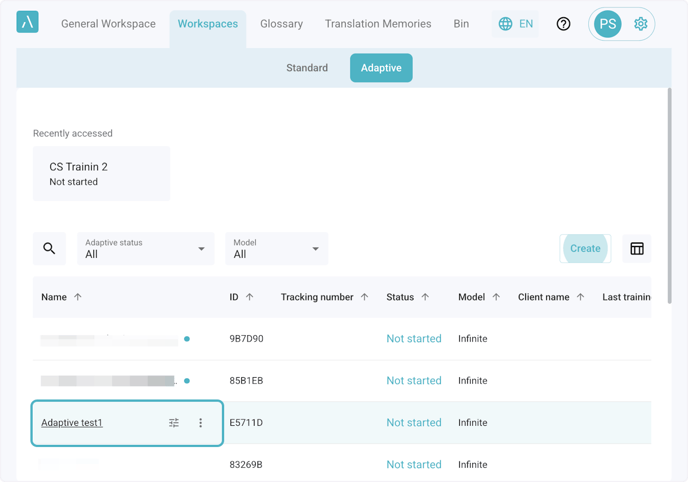
5. Click on the 3 dots to open the actions list
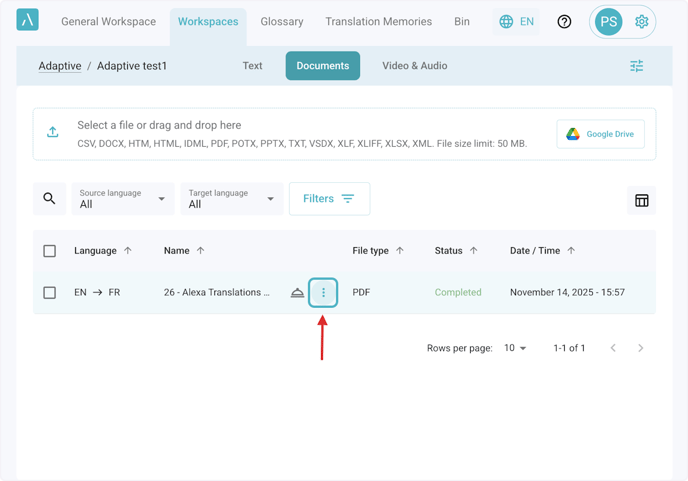
6. Click on Edit
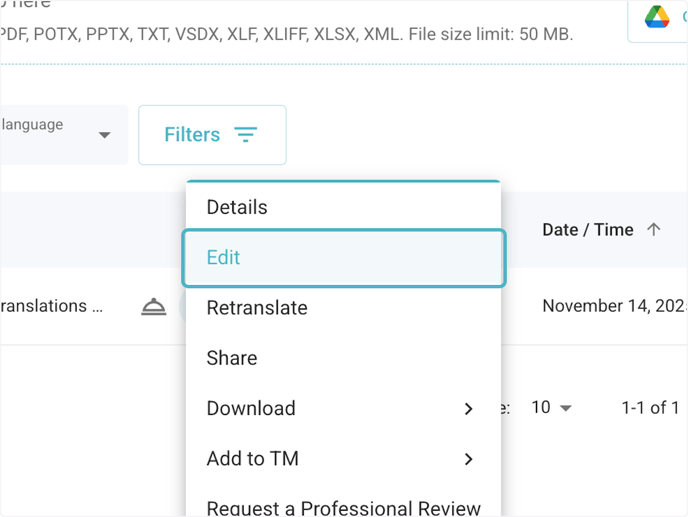
7. Review & Edit.
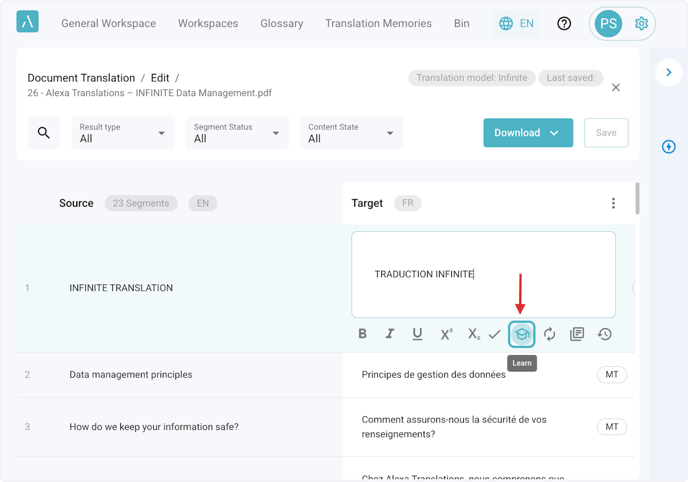
Use the Document Editor to refine translations. Mark segments for training by clicking the Learn icon.