![Alexa Logo - _WOTRNS - ATAI-1.png]](https://support.alexatranslations.com/hs-fs/hubfs/Alexa%20Logo%20-%20_WOTRNS%20-%20ATAI-1.png?height=50&name=Alexa%20Logo%20-%20_WOTRNS%20-%20ATAI-1.png)
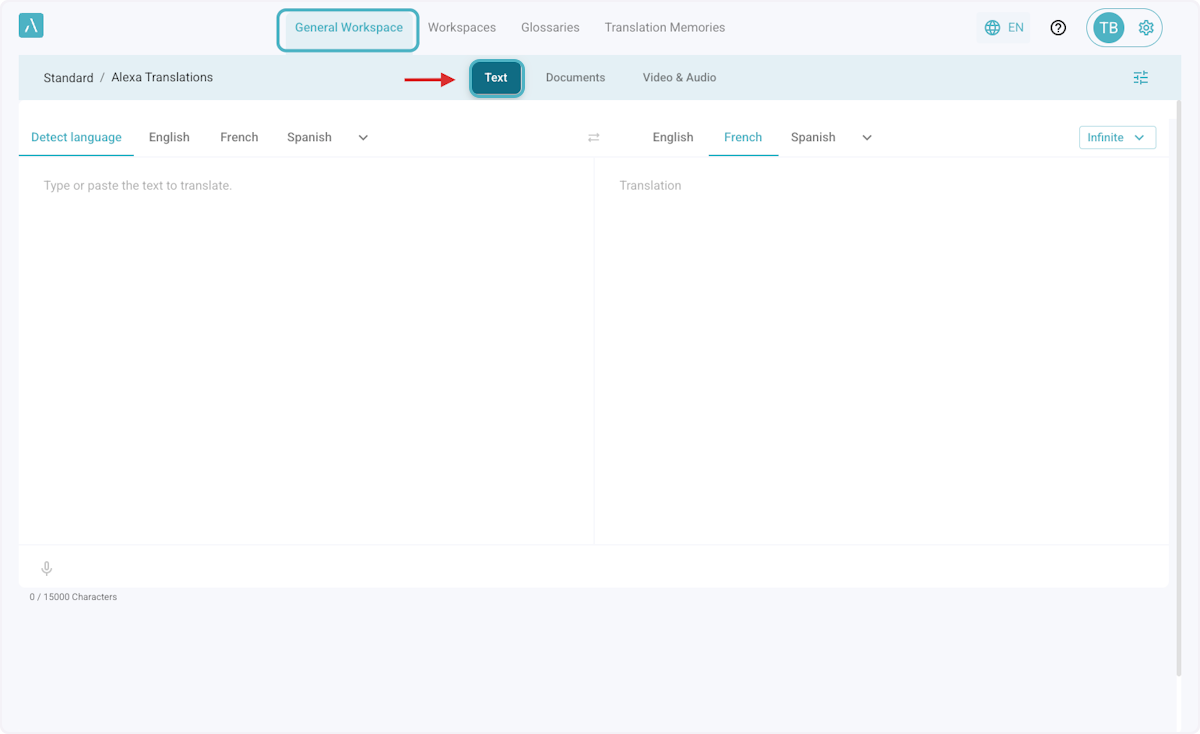
1. Select your preferred Workspace, then click on Text
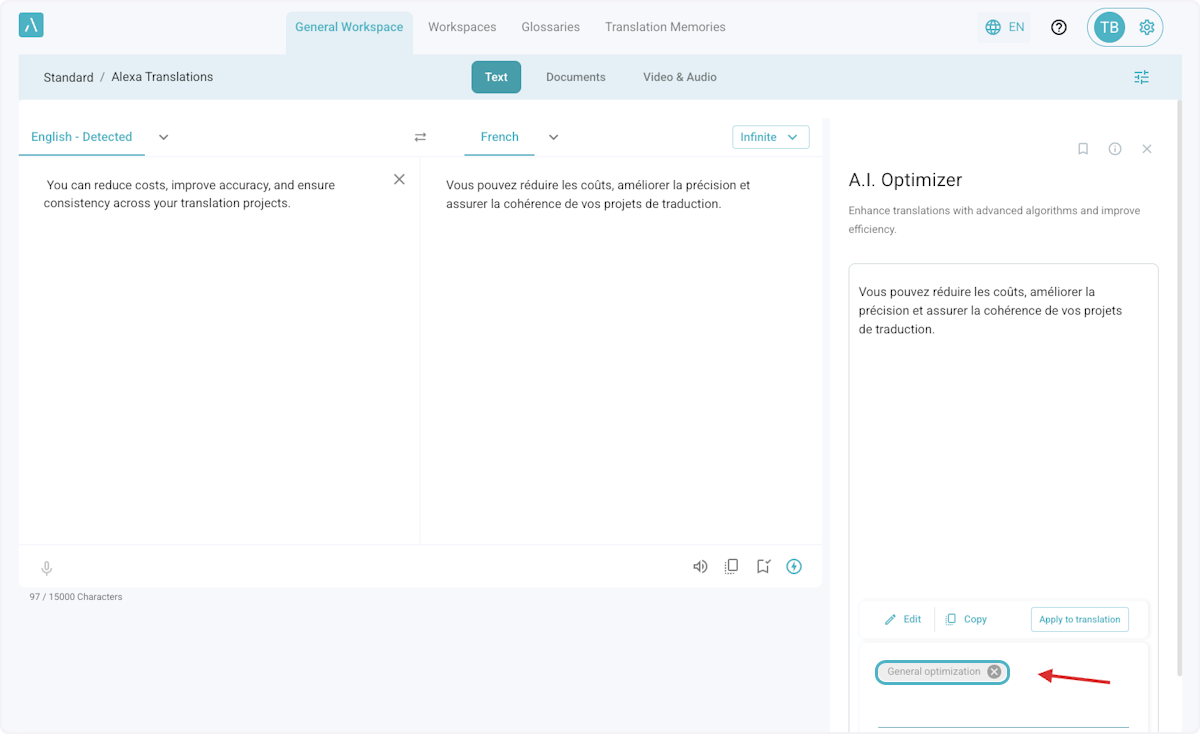
2. Type or paste your source text into the text box, then click on the A.I. Optimizer Lightning icon.

3. A General optimization will be automatically provided
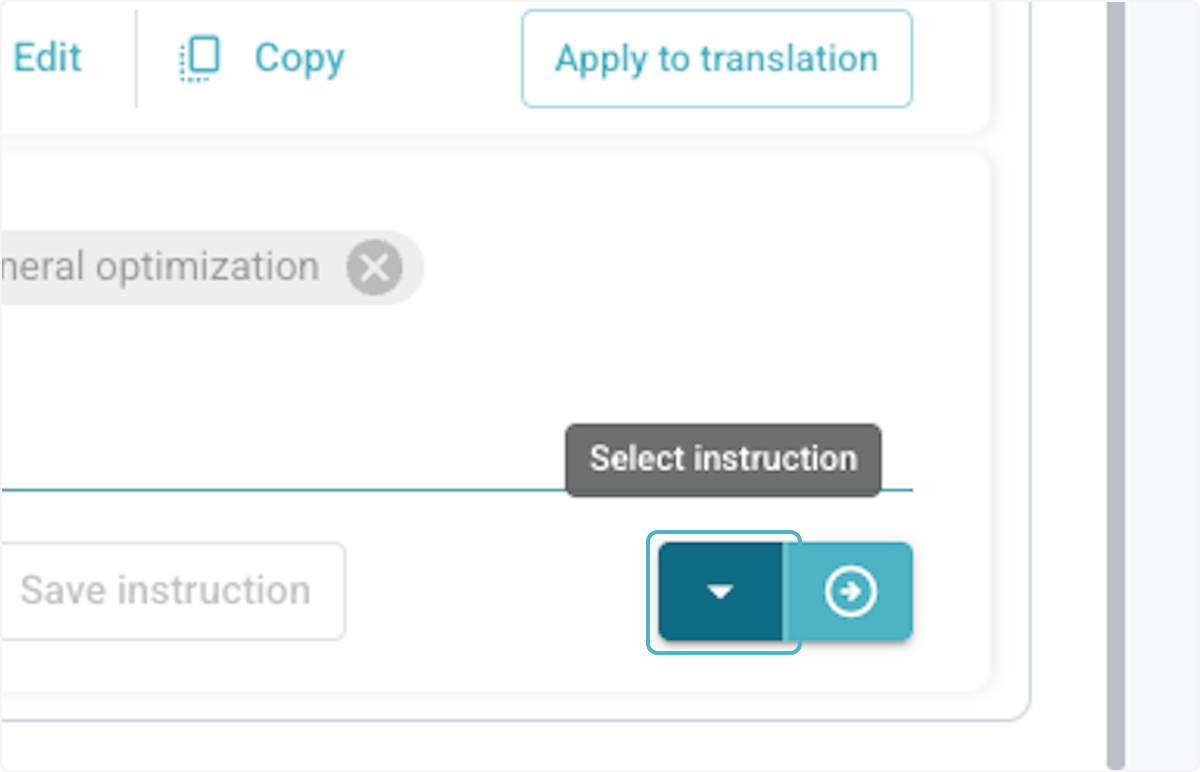
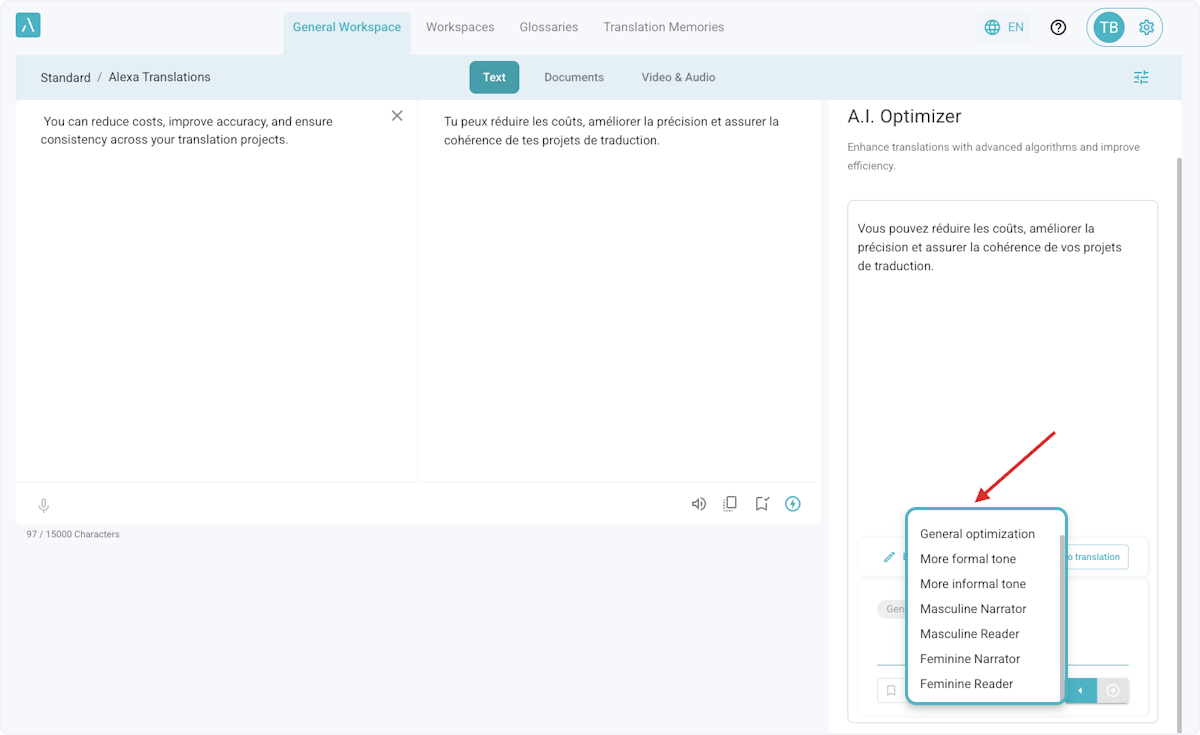
4. If you need the text further optimized, select the down arrow to view more prompts in the drop-down menu.
5. Select any of the pre-defined instructions.
6. Alternatively, you can write a Custom Instruction to optimize the text.
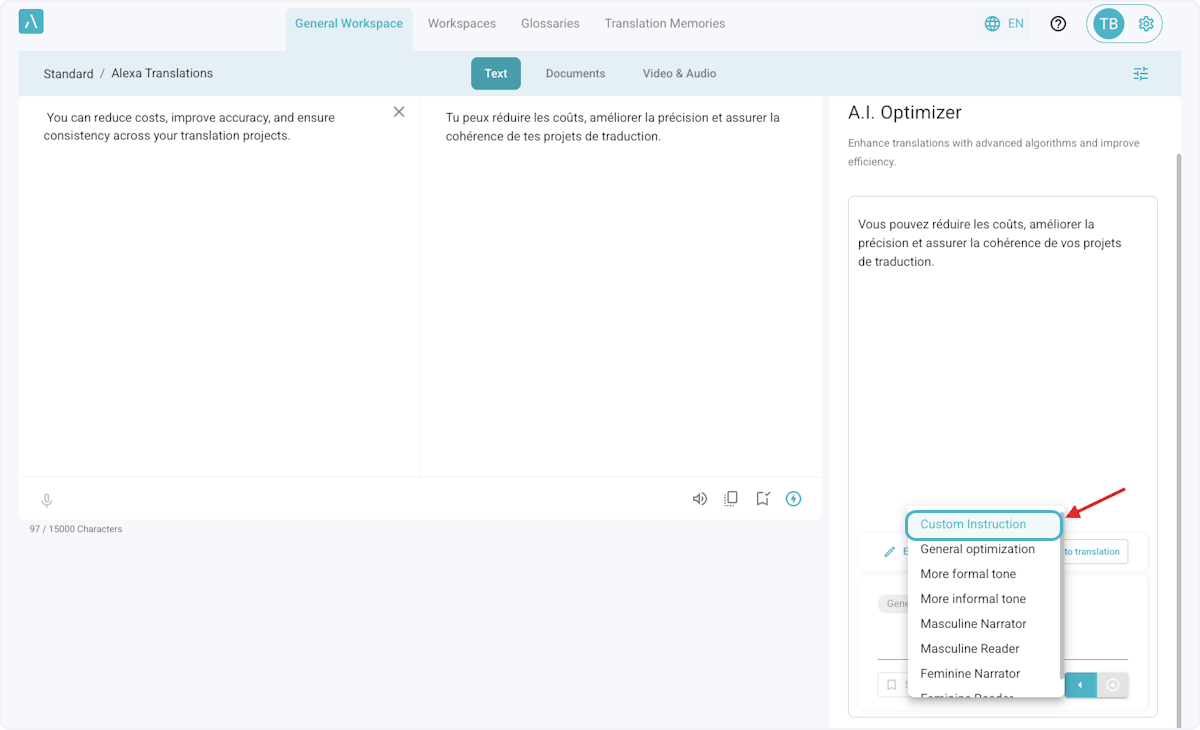
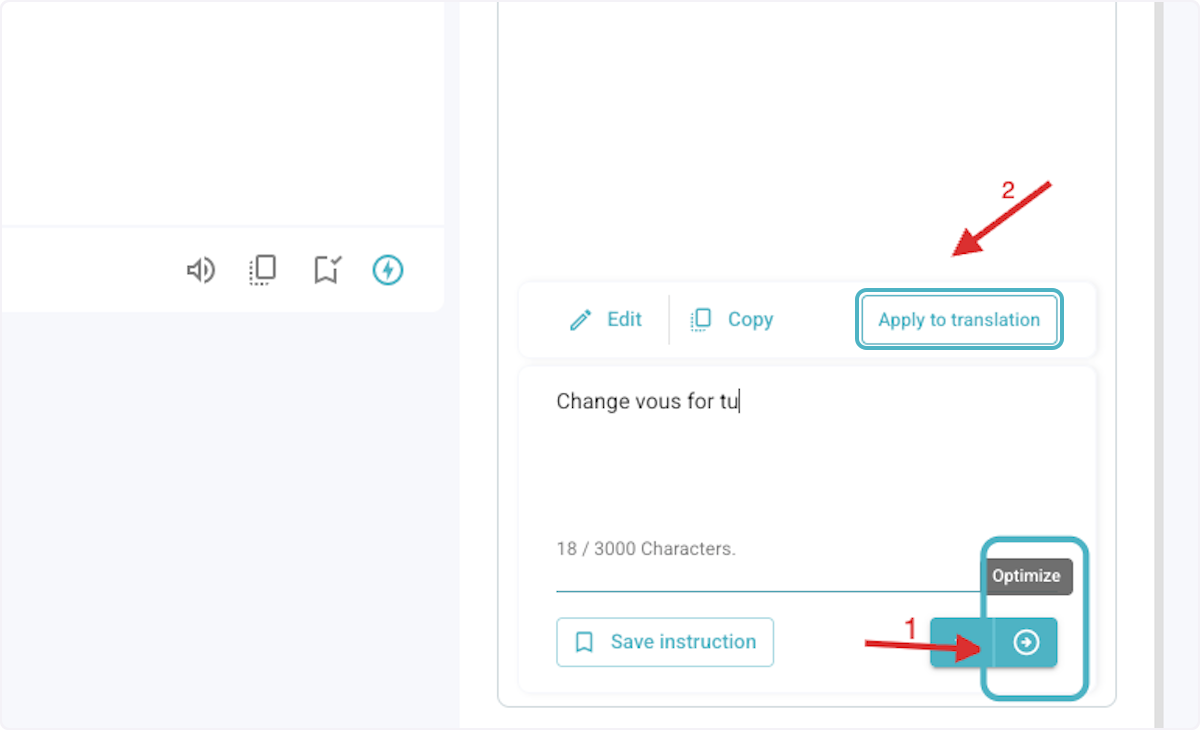
7. Type the custom instructions.

8. Click on Optimize, and then Apply to translation.