- Knowledge Base
- Account
- User Management
Generate Custom Reports in Alexa Translations A.I.
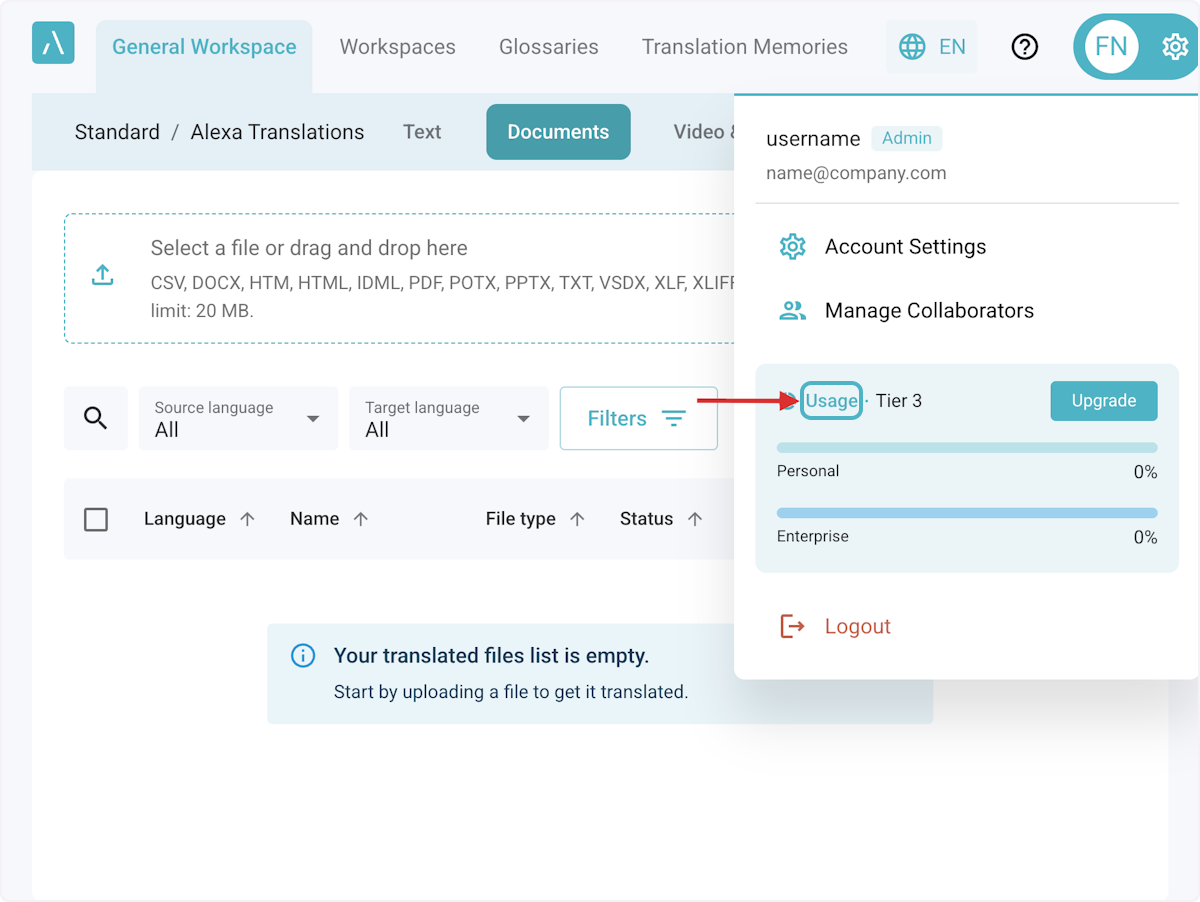
1. Click on Settings > Usage
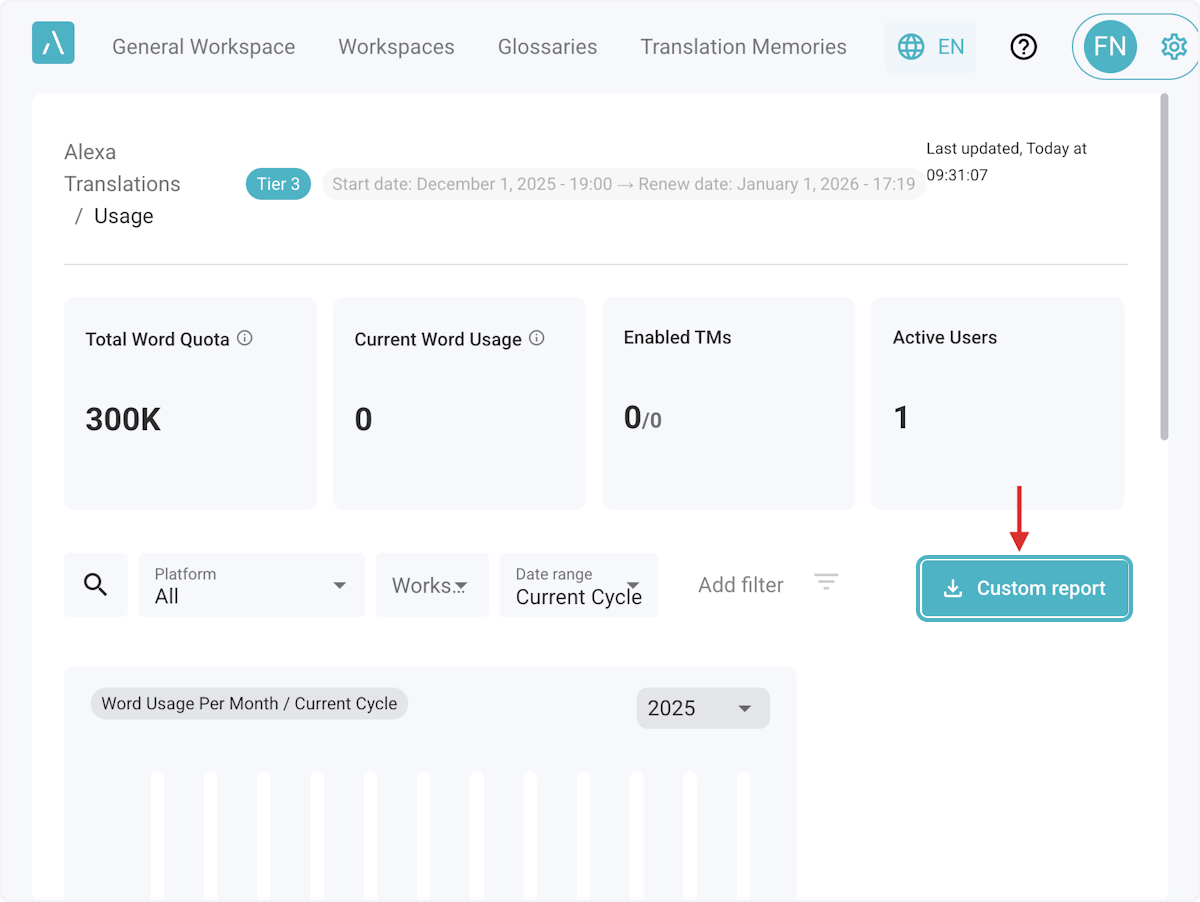
3. Click on Custom Report
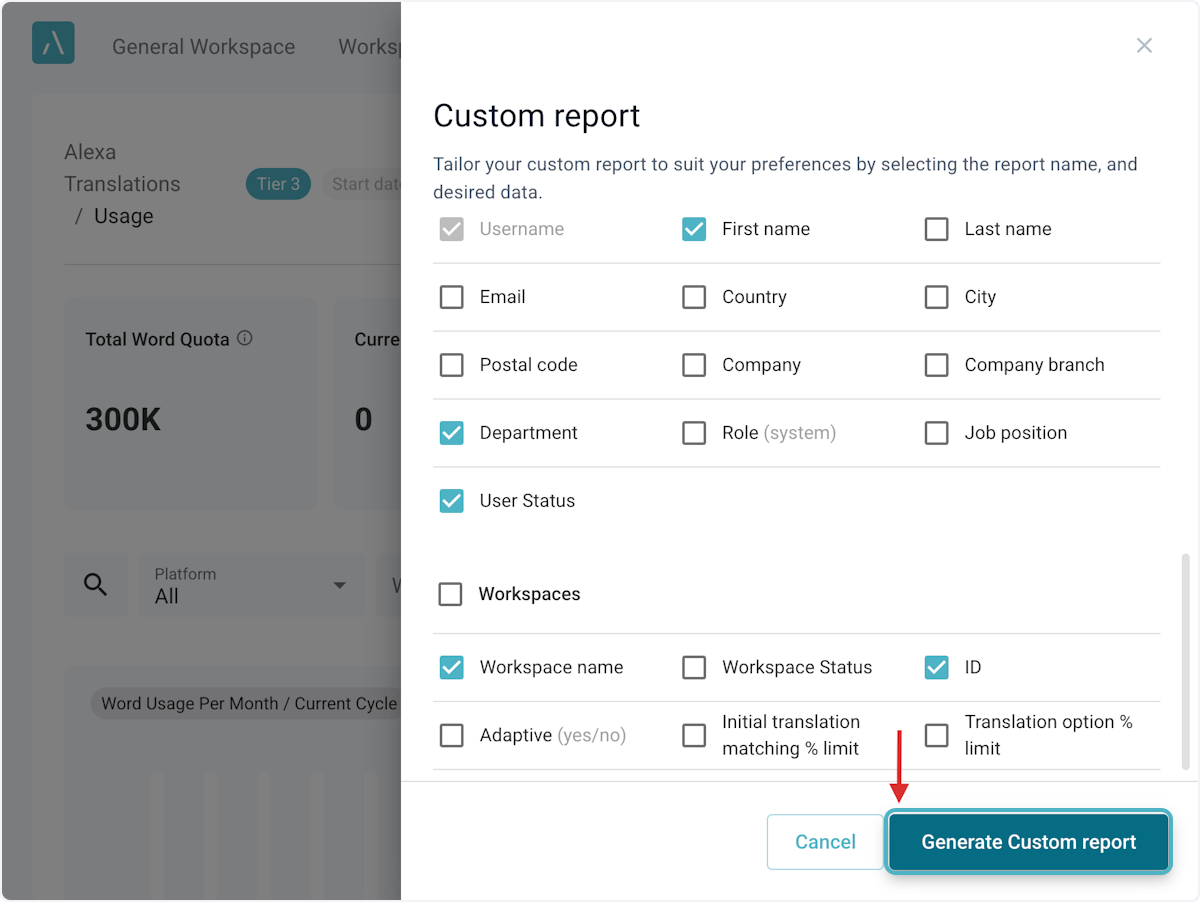
4. Generate Custom report
Select additional data dimensions as columns to include in your report and then click Generate Custom report. Mandatory columns are pre-selected and cannot be changed.
You can access the Excel file immediately as a downloaded file.